Introducing Front Office: for everything before the project starts
What is Front Office in ApprovIQ?
Until now, ApprovIQ started once you had a project. Front Office is everything that happens before that. A client asks for work through a form on your own website, you look it over, and with one click it becomes a project. You keep all your clients, quotes and invoices in one place, and when you're ready, clients can even pay you online. Because it all lives in ApprovIQ, you're not juggling a form tool, a spreadsheet and an invoicing system. It's switched off until you ask for it.
How can clients request work through ApprovIQ?
You build a form with the questions you'd normally ask on the phone: the address, a map to mark where the work is, and a place to upload plans and reports. Then you share the link or pop it on your website. Your client fills it in without needing to sign up for anything, so their first experience of working with you is a simple form, not a login screen.
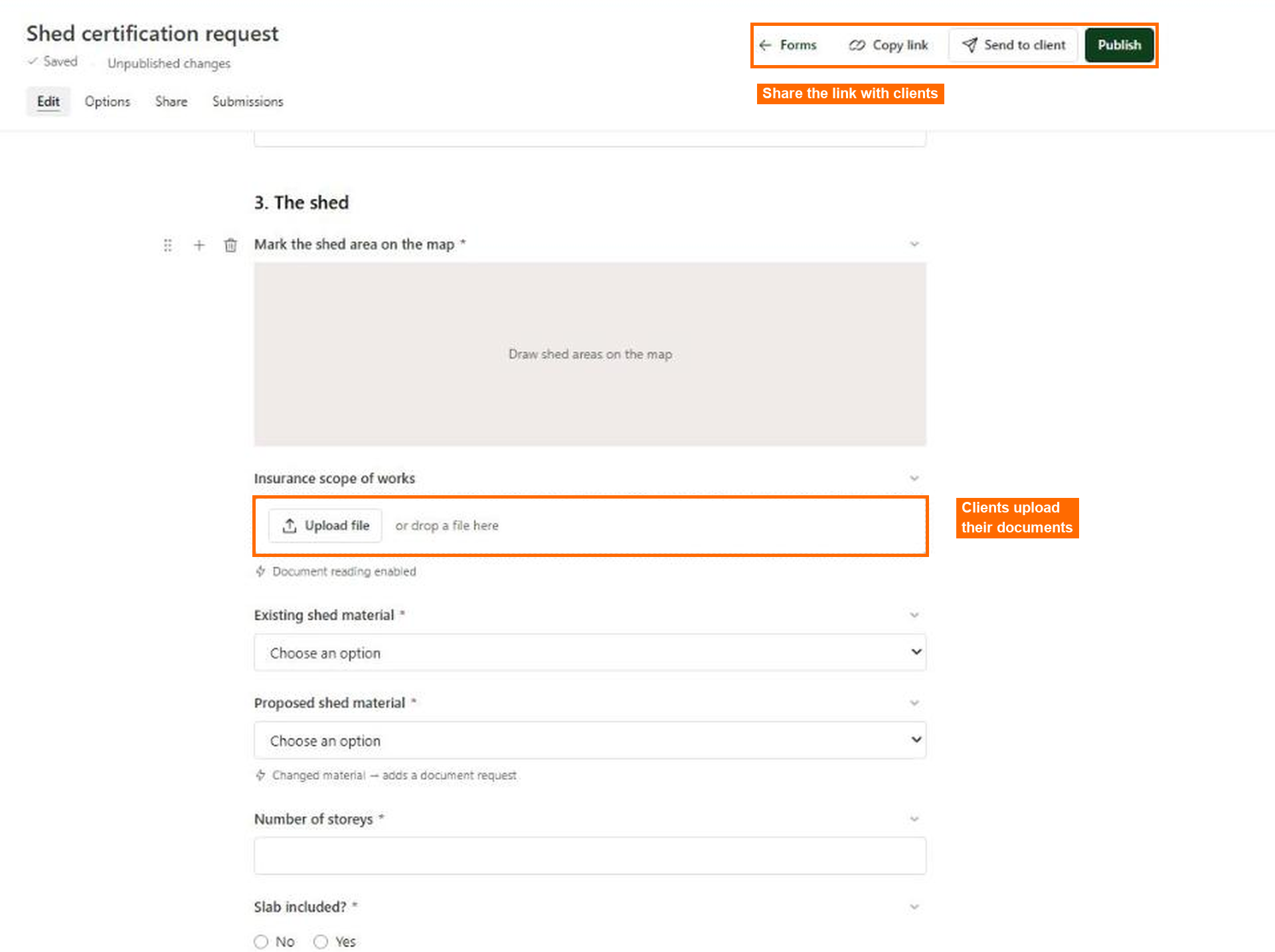
What happens when a client sends a request?
It lands in your Submissions list. You read through the answers and documents in one place, then say yes or no. Say yes, and ApprovIQ sets up the project for you and fills in the details your client typed, so nobody types anything twice. If it was a quote request, you can turn it straight into a quote instead.
Where do I keep my clients, quotes and invoices?
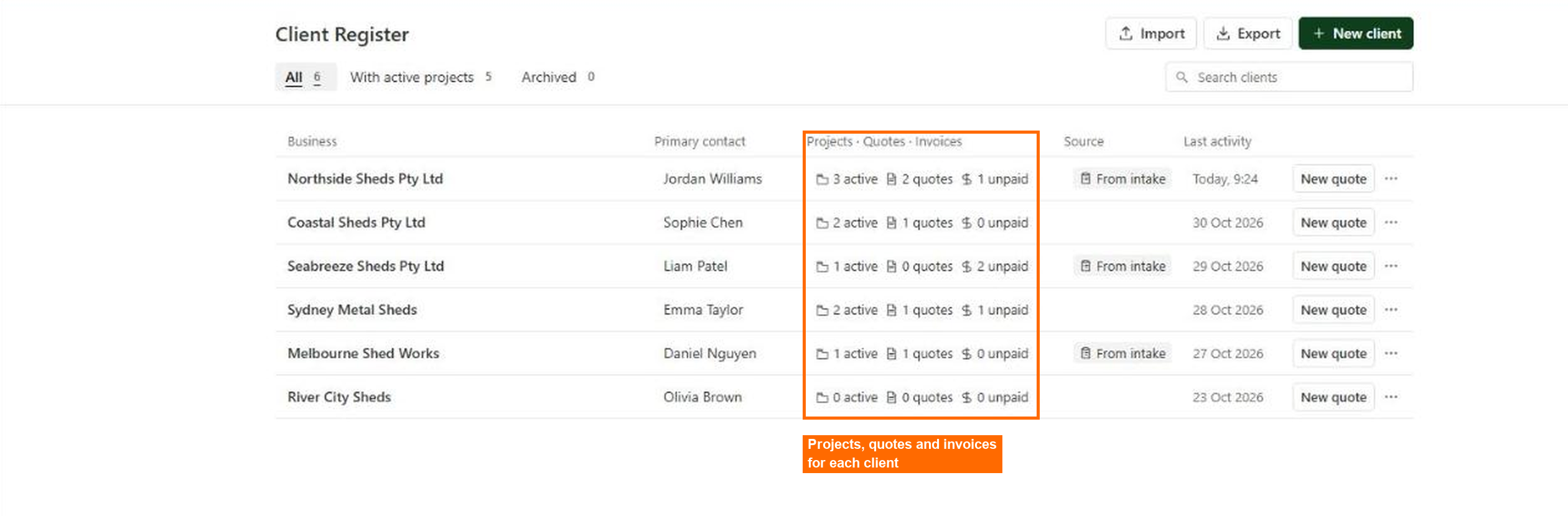
In the Client Register. Each client business is there with its contacts, and every project, quote and invoice you've done for them, so you can see where things stand at a glance. You make quotes and invoices in ApprovIQ, email them to your client, and resend them whenever you need to.
Can clients pay online?
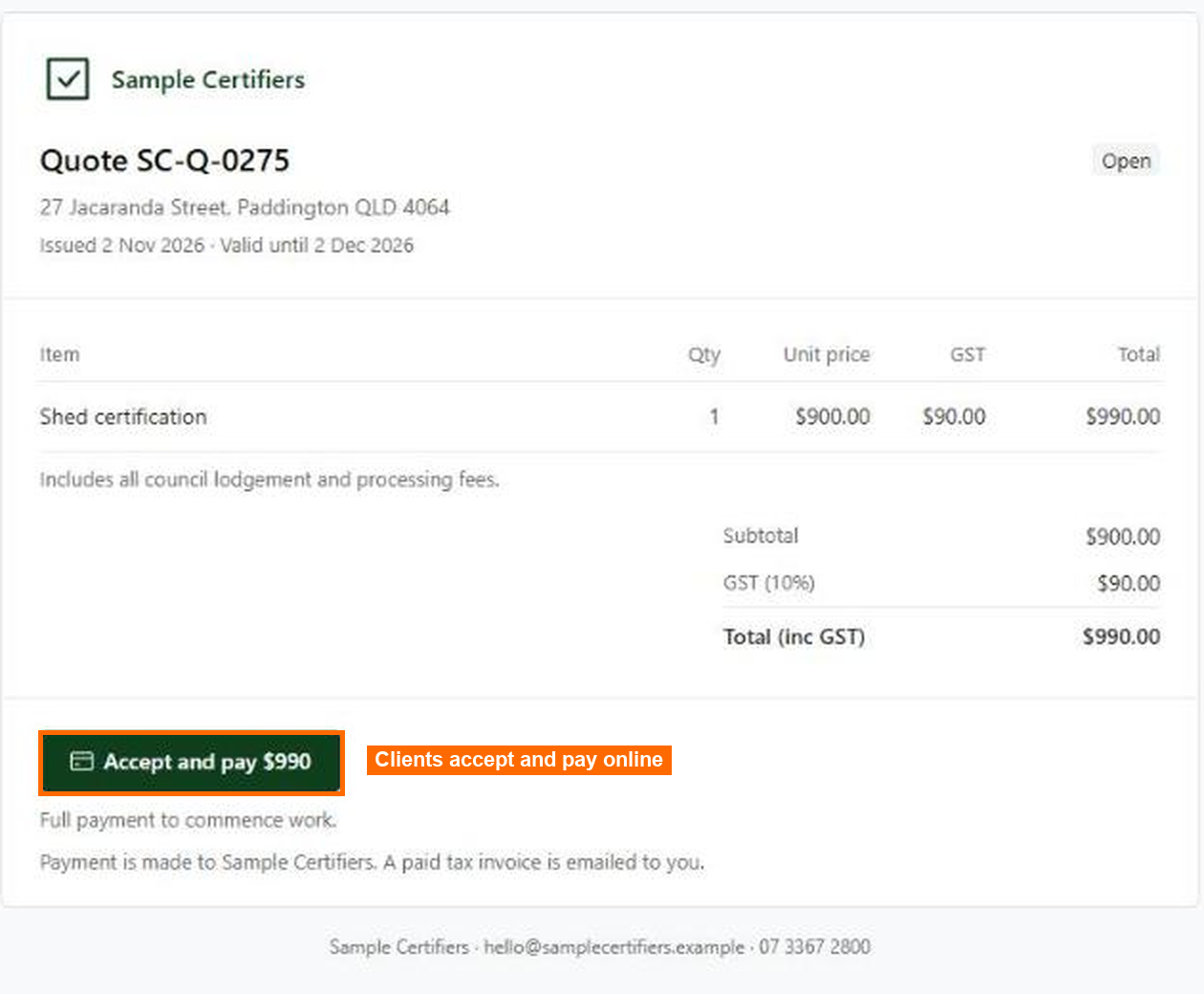
They can. A client opens your quote, clicks Accept and pay, and it's done, with the money going to your own Stripe account. They get a paid tax invoice by email as their receipt. If someone prefers to pay by bank deposit, you just mark the invoice as paid once it lands. Taking payments needs a bit of setup, and we'll walk you through it.
Who is Front Office for?
It's a good fit if you get the same kind of request over and over. If most of your work is one type of project, one form on your website can bring every enquiry in with the same questions and the same documents, ready for you to look at.
How do I get Front Office?
It's switched off by default. Just get in touch and we'll turn it on for your team, and help with payments if you'd like to take them.
Information valid at time of publication.